Foundation Phase
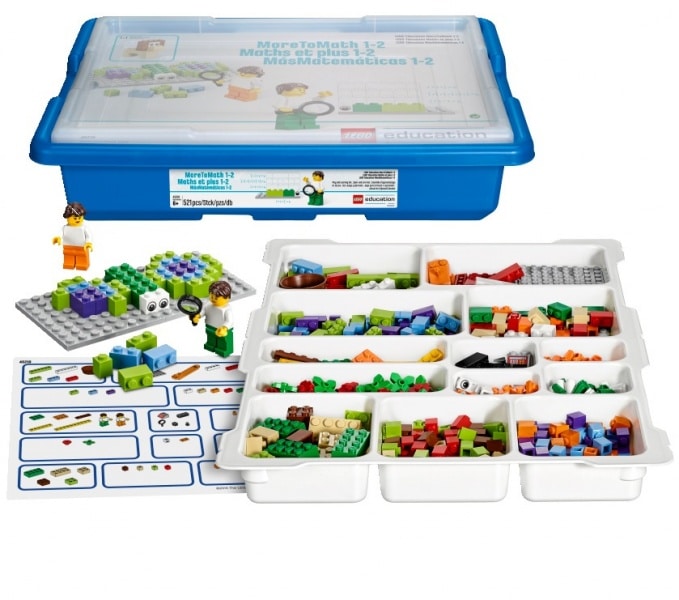
More To Maths
By using the familiar LEGO® brick coupled with real life understanding, your pupils will feel encouraged and motivated to think, write and speak freely about maths. Through the activities, that are defined by the latest National Curriculum standards, pupils help the two characters Max and Mia to solve problems within four real life themes, and the collaborative experience that there is more to maths than facts.
Key learning values:
By connecting pupil enjoyment with success, MoreToMaths builds a positive attitude and establishes confidence in understanding how to solve mathematical problems.
This familiar and hands-on tool will give your students the confidence they need to overcome difficulties, persevere through challenges and establish enthusiasm towards the subject of maths.
The easy to use activities guide pupils to collaboratively read, write, identify and discuss how to solve maths problems.

We tick your boxes
Digital Competency Framework
Citizenship
Identity, Image and Reputation
Recognise that actions have consequences and identify simple rules to keep them safe (offline and online)
Health and Wellbeing
Use digital devices and media with care
Operate digital devices and media with increasing accuracy and independence
Acknowledge age restrictions and suitability of digital media and devices
Children talk about the advantages and disadvantages of digital media in their lives and the lives of others, such as environmental, physical and mental wellbeing.
Digital Rights, Licensing and Ownership
Add name and date to work they have created and give reasons why this is important e.g. type first name and surname, add a date to pieces of work and orally provide reasons for doing so.
Producing
Planning, Sourcing and Searching
Identify some success criteria in response to questions
Plan how to complete a task in relation to identified success criteria.
Use keywords to search for specific information to solve a problem.
Creating
Learners will organise a range of text, image, sound, animation and video for selected purposes.
Evaluating and Improving
Describe in response to questions some of what has been done in the task
Identify what worked/went well and what didn’t, giving some of the reasons for their choices/thoughts/opinions e.g. spot mistakes and use editing tools to improve work.
Interacting and Collaborating
Communication
Talk about different forms of online communication
Sorting and Sharing
With support, save work using an appropriate file name e.g. child’s name and simple title
Use an icon to open a saved file.
Data and Computational Thinking
Problem solving and Modelling
Control digital devices by giving them instructions.
Explain to others how a designed solution works e.g. explain a design for a simple playground game and test, correcting any issues that arise.
Predict the behaviour of simple sequences of instructions
Create a simple solution that tests an idea e.g. test a solution to a simple problem and predict what would happen if it went wrong such as the sequence of waking up to go to school.
Data and Information Literacy
Gather data using objects.
Collect and organise data into groups e.g. gather data by voting or sorting and represent in pictures, objects or drawings.
Record data collected in a variety of suitable formats e.g. lists, tables, block graphs and pictograms.